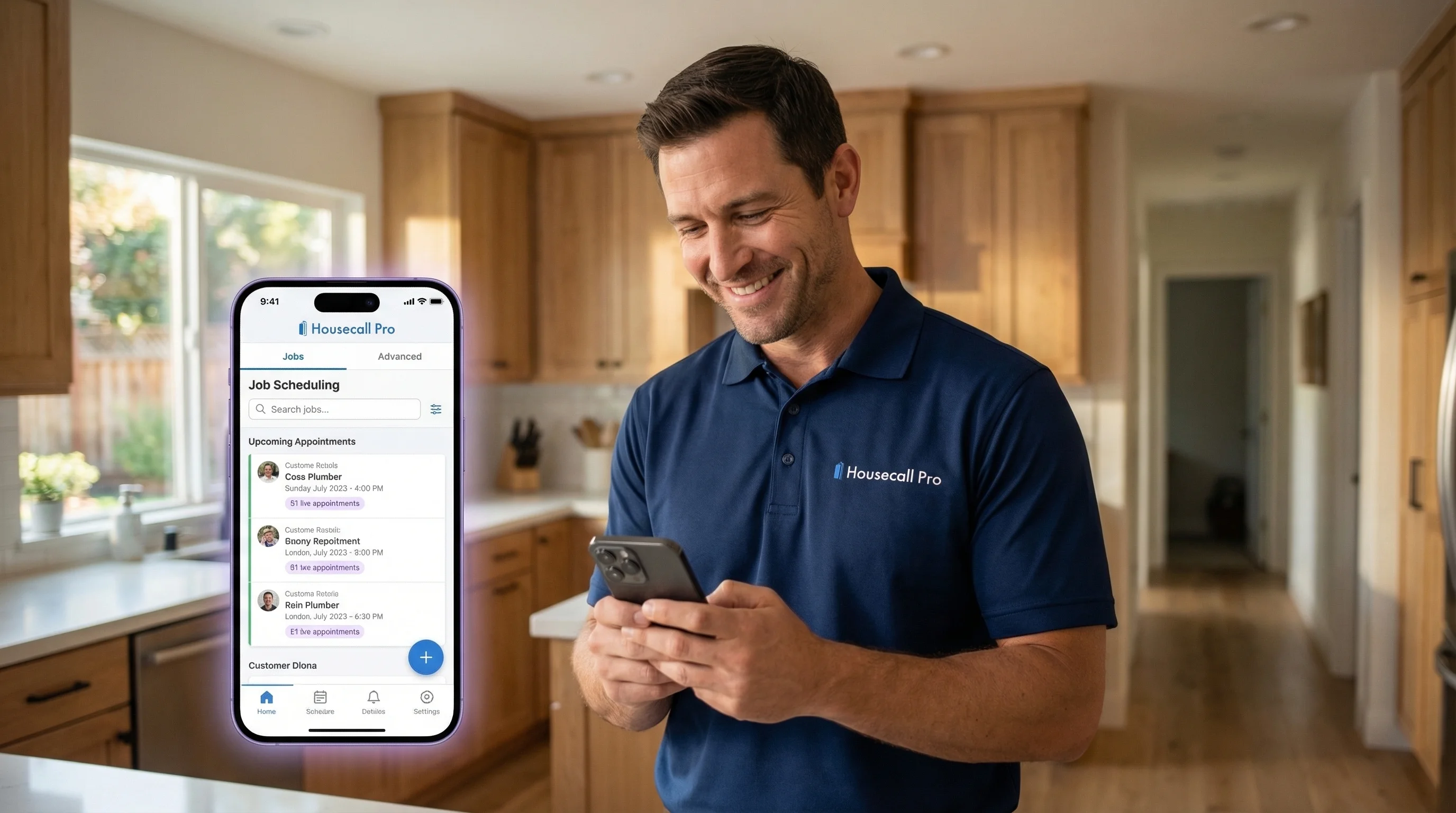
Your HCP Dashboard,
With an AI Voice Agent Built In
Voka AI answers every call, creates customers, schedules jobs on your Housecall Pro calendar, and sends customer notifications — so your dispatch view stays full and your crew stays busy.
Sound Familiar?
Common challenges Housecall Pro users face every day

The Problem
Calls ring while your techs are on a roof or under a sink — estimate requests vanish before anyone picks up.
Voka's Solution
Voka AI answers instantly, qualifies the job, and creates the estimate request in HCP with full service details attached.

The Problem
Your dispatch view has open slots but online booking only fills a fraction — the rest depend on someone answering the phone.
Voka's Solution
Every inbound call becomes a booked job on your HCP calendar, matched to the right tech based on job tags and availability.

The Problem
After-hours emergency calls hit voicemail. By morning, that burst pipe customer already called your competitor.
Voka's Solution
Voka AI handles after-hours calls, creates urgent jobs with priority flags, and triggers customer notifications with ETA windows.

The Problem
New customers call for pricing but your team can only quote from the HCP price list when they are back in the office.
Voka's Solution
Voka AI references your price list to give callers accurate service ranges and books the job before they shop around.
How It Works
Connect your Housecall Pro account in minutes
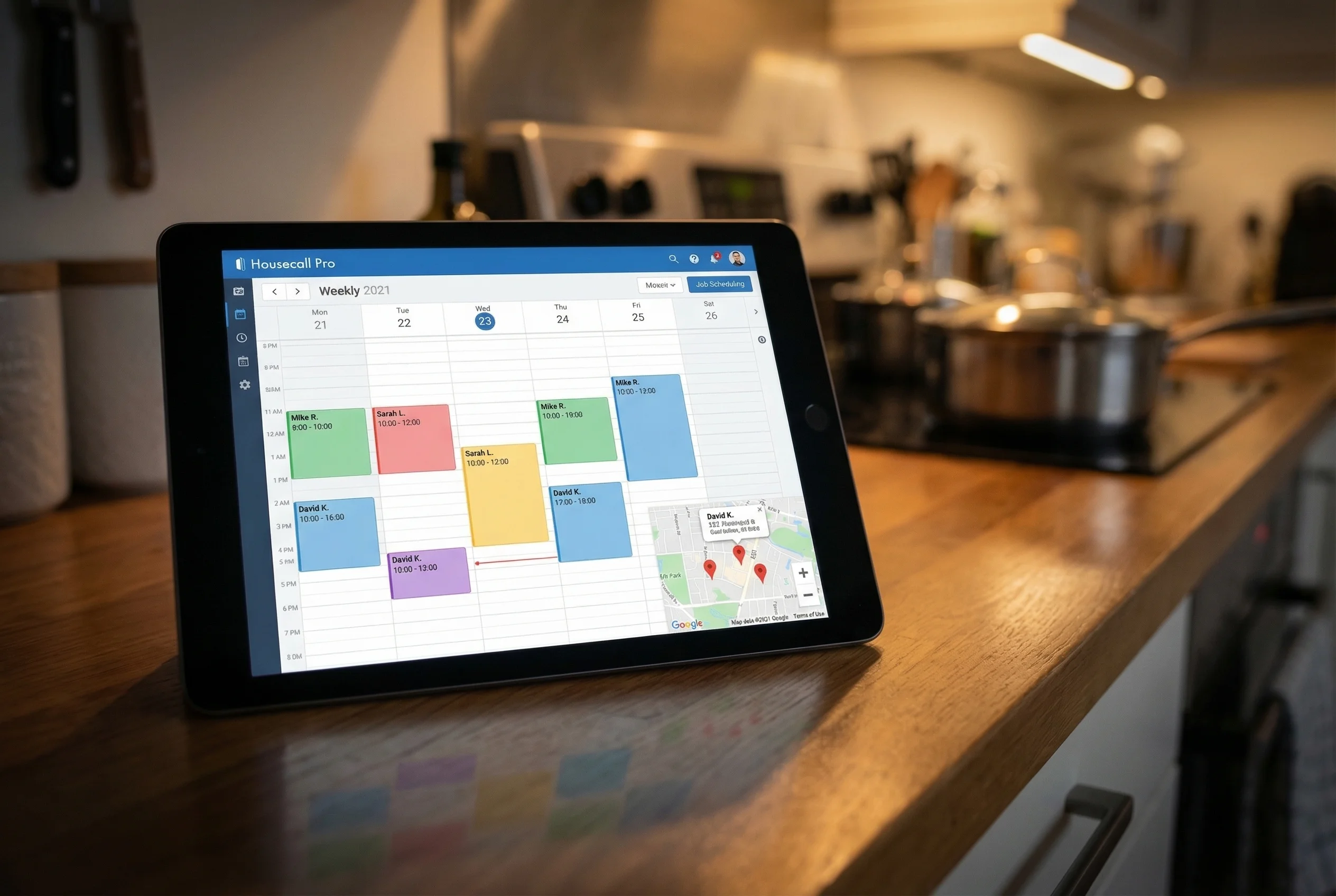
1. Connect Your Housecall Pro Account
Link your HCP account in minutes. Voka AI syncs your price list, job tags, service areas, and technician schedules so it understands your business from day one.
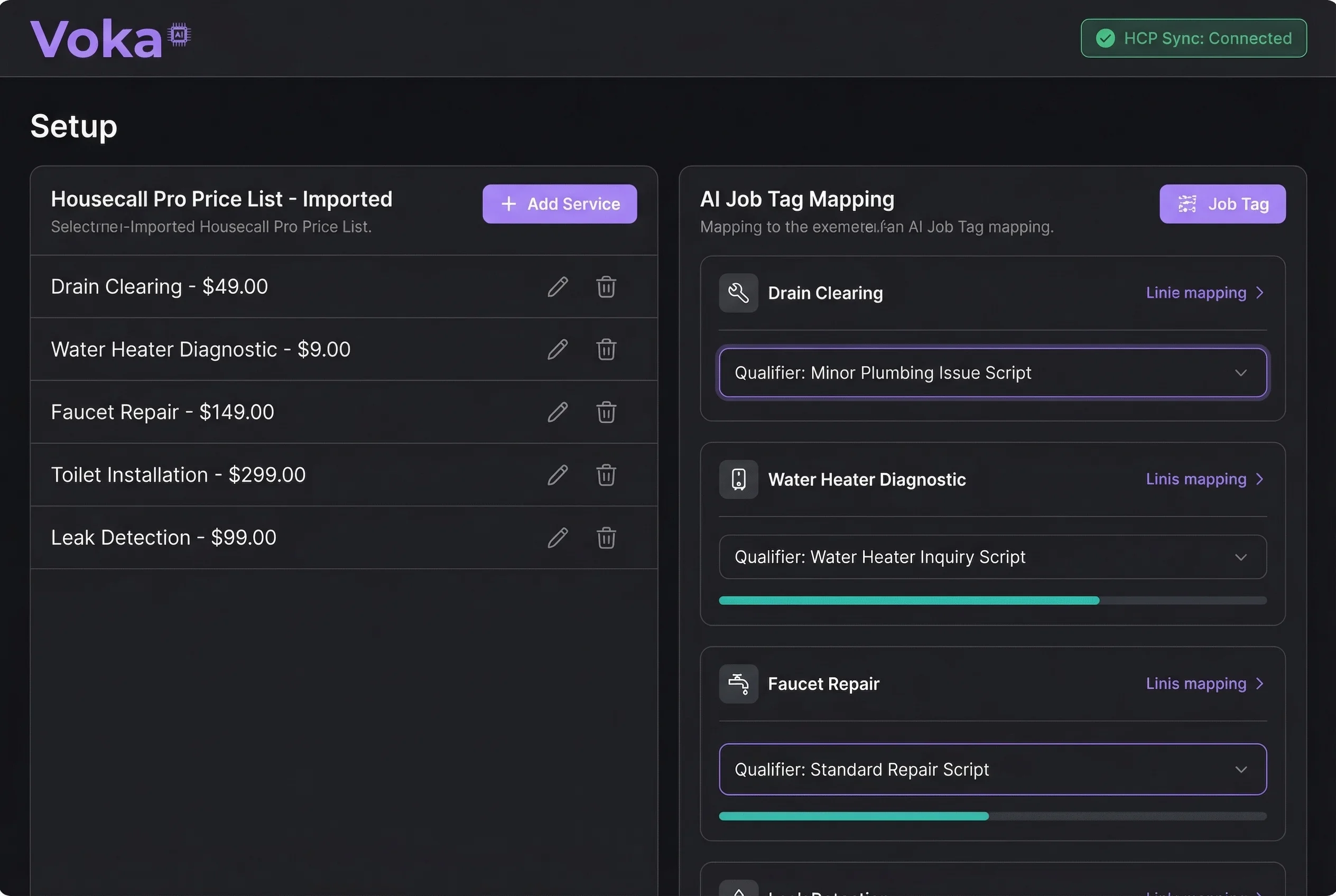
2. Fine-Tune Your Settings
Your price list, job tags, technician schedules, and service areas are pulled in automatically via MCP. From there, customize your greeting, set up transfer-to-human rules, configure service area settings, enable temporary greetings, connect webhooks, and review AI Insights — minor tweaks to match your HCP workflow.
3. Your HCP Dashboard Stays Updated
New customers, booked jobs, estimate requests, and job notes all appear in Housecall Pro automatically. Your team opens the app and everything is there — ready to dispatch.

Powerful Features
Everything you need for seamless Housecall Pro integration
Real-World Scenarios
See how Voka AI handles calls for Housecall Pro businesses
A homeowner calls at 10 PM with a burst pipe. Your office is closed, voicemail is on, and they need someone now.
Voka AI answers, confirms the emergency, captures the address, creates an urgent job in HCP with a priority flag, and sends the customer a notification that a tech is being dispatched.
Job booked and dispatched in under 2 minutes. The customer stays with you instead of calling the next company on Google.
Your HCP online booking page only shows limited availability. Customers who want a different time slot call in — but no one picks up during peak hours.
Voka AI handles the overflow calls, checks your full dispatch view for openings, and books the job into a slot that online booking did not surface.
Dispatch view fills up completely — no open slots go unfilled because of phone capacity limitations.
A customer calls to ask about a quote you sent last week. Your office manager is juggling three other calls and cannot pull up the estimate in HCP.
Voka AI identifies the caller, pulls the estimate status from HCP, answers questions about scope and pricing, and can schedule the approved job on the spot.
Estimates convert faster because customers get instant answers instead of waiting for a callback.
General contractors call with multi-trade job requests. Capturing all the details — address, scope, timeline, access instructions — takes 15+ minutes of staff time.
Voka AI conducts a structured intake, captures every detail, creates the customer record in HCP with job notes, and tags it for the right trade.
Every contractor intake is thorough, consistent, and immediately visible in HCP.
of home service customers will not leave a voicemail — they call the next company instead. Every unanswered call is revenue walking out the door.
Be First to Know When Housecall Pro Goes Live
Join the waitlist and get early access when we launch
What You'll Get
- First access when the Housecall Pro integration goes live
- Free onboarding and HCP account configuration
- Locked-in early adopter pricing for life
- Direct input on features — tell us what your HCP workflow needs
- Priority support with a dedicated onboarding specialist
- Exclusive beta community with other HCP power users
Frequently Asked Questions
Ready to Transform Your Housecall Pro Experience?
Be the first to know when Voka AI launches for Housecall Pro.
We Value Your Privacy
We use cookies to enhance your browsing experience, provide personalized content, and analyze our traffic. By clicking "Accept All", you consent to our use of cookies. You can manage your preferences or learn more in our Cookie Policy and Privacy Policy.